- ATTENTION: All Cranston Library locations will close at 5:00 PM on Wednesday, November 25, and will be closed on Thursday, November 26 in observance of Thanksgiving. The Arlington branch will be closed on Friday Nov. 27

Pods
Privacy Pods for Individual Use
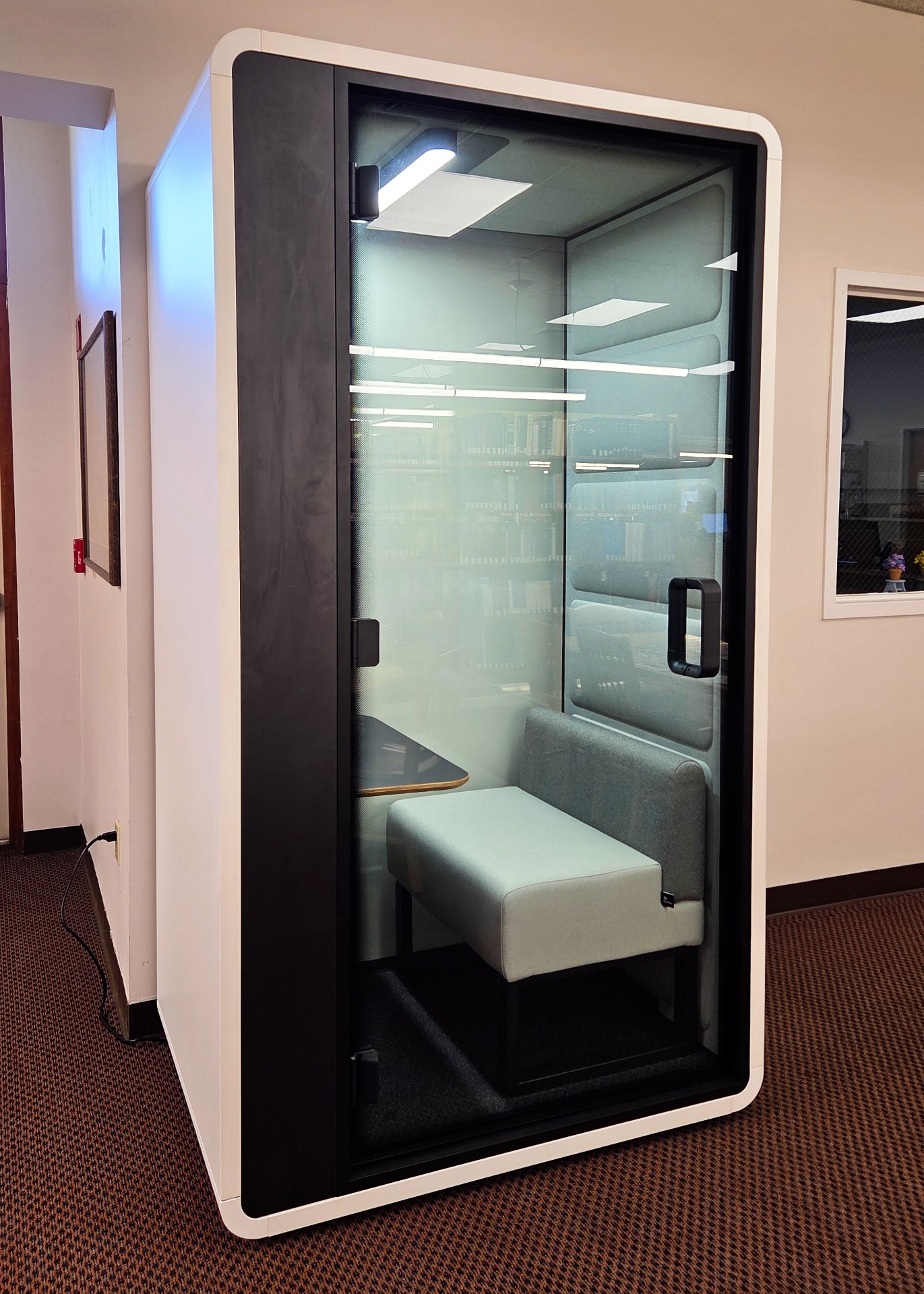
Our privacy pods are solo acoustic booths, designed for video conferences, phone calls, and quiet focus work.
- Privacy Pods are available at the Central Library only. There are 2 available to use.
- Before requesting use of a pod, please review the Privacy Pod Policy (link opens in a new tab).
- Patrons must bring their own device or laptop.
- Pods may be reserved using our self-service reservation system:
Frequently Asked Questions (FAQs)
Is there a fee to use the Privacy Pods?
No. The pods are available at no charge.
How long can I reserve a privacy pod for?
You may reserve a pod for up to 2 hours at a time.
How often can I request the use of a Privacy Pod?
Pods may be reserved twice per week. No consecutive reservations are allowed by the same user.
Pods may be reserved up to one month in advance.
Are Privacy Pods available on a walk-in basis?
Yes. Please scan the QR code in the library to see if a pod is available when you arrive.
Can more than one person fit inside the Privacy Pods?
No. Only one (1) person can fit inside the pod.
Can I bring food and/or drink inside the pod?
Only covered drinks are allowed in the pods. No food allowed. Please report any spills to staff immediately.
Can I borrow a laptop for my video call?
At this time, library laptops are not available to be borrowed.
I have other questions.
Please call us:
Central Library 401-943-9080 x3
Each pod includes:
- a built-in work surface
- an ergonomic sofa
- adjustable LED lighting & adjustable fan
- acoustic wall panels
- an optional-use timer
- two standard power outlets
- USB-A and USB-C ports.
Take a tour of the privacy pods (link opens in a new tab) with this video
Newsletter
Get the latest about library events, new programs and services and other library news delivered to your inbox.
Get the Library App
Take the library with you when you're on the go! Download the Ocean State Libraries app. Search the catalog and reserve items, manage checkouts and holds, view events, access learning tools and much more!
Download on:


Contact Us
If you need help or have a question or suggestion, we want to hear from you. You can reach the library staff by email or phone during open hours.